
When parents think of an authentic Montessori environment, they usually picture natural materials: wooden geometry shapes, sand trays, glass pitchers, and physical books. Because the early childhood years (infant through primary) focus heavily on tactile, physical exploration, early childhood classrooms intentionally minimize digital distraction.
However, as children grow into elementary school and beyond, the world around them expands. Technology is an undeniable, permanent fixture of modern society. Dr. Maria Montessori constantly championed preparing children for the real world, which means our job as parents and educators isn’t to shield older children from technology forever, but to teach them how to use it with purpose.
The goal is to maintain a healthy screen balance by shifting technology from an engine of passive entertainment to a tool for active discovery. When chosen carefully, specific digital Montessori tools can beautifully extend real-world curiosity. Here is how to select educational apps and Montessori online resources that support your child’s development without disrupting their focus.
1. The Montessori Framework for Choosing Technology
Before downloading a new application or handing over a device, evaluate the digital tool using three core Montessori principles:
-
Active vs. Passive: Does the tool require the child to think, create, and solve problems? Or are they just sitting back and tapping randomly to see colors flash?
-
Real-World Connection: Does the app inspire the child to put the device down and do something in the real world? (e.g., A plant identification app that encourages them to explore the backyard).
-
Isolation of Difficulty: Is the interface simple and free of disruptive pop-ups, micro-transactions, and noisy ad breaks that shatter deep concentration?
2. High-Quality Educational Apps & Virtual Tools
If you choose to introduce digital tools, look for platforms that mimic the self-correcting, open-ended nature of Montessori materials:
-
Coding and Logic Games: Tools like ScratchJr or Lightbot teach children foundational sequencing, logic, and problem-solving. These apps have a clear “control of error”—if the code is wrong, the character doesn’t move correctly, requiring the child to independently troubleshoot.
-
Creation Over Consumption: Look for digital tools that allow children to create their own art, compose simple music, or write and layout digital stories. This transforms the screen into a blank canvas rather than a television.
-
Interactive Field Guides: High-quality science and nature resources (like Seek by iNaturalist or star-mapping astronomy tools) are incredible additions to a child’s exploration. They use the device’s camera to help children categorize real bugs, flowers, and constellations in their immediate neighborhood.
3. Harnessing Montessori Online Resources for Research
In the elementary years, children enter a phase Dr. Montessori called the Cosmic Education stage, where they become deeply fascinated by big questions: How did the earth form? Why do volcanoes erupt? How do ancient cultures compare to ours?
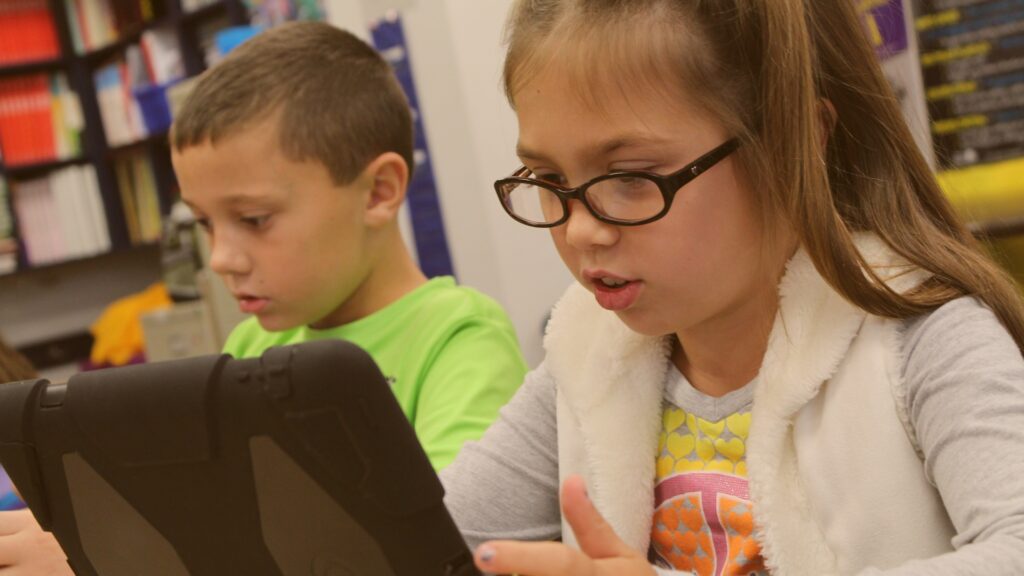
The internet is a vast, miraculous library for an inquisitive elementary student, provided they know how to navigate it safely. Introduce them to kid-safe, educational search engines and digital encyclopedias. Teach them how to look up high-definition videos of historical events, deep-sea exploration, or scientific experiments. When used this way, the tablet or computer is treated exactly like an encyclopedia on a library shelf—a tool to look up a fact, satisfy curiosity, and then close when the answer is found.
4. Establishing a Conscious “Screen Balance”
Even the highest-quality educational app can become overstimulating if utilized without boundaries. To protect your child’s concentration and internal rhythm, try establishing a clear tech routine:
-
Keep Work Zones Separate: Ensure that devices are used at a desk or table, rather than lounging in bed or on the couch. This builds a psychological boundary that screens are for focused, intentional activities.
-
Prioritize the Concrete First: If a child is learning fractions, have them work with physical measuring cups or math blocks first. Introduce the digital version only after the concept is rooted in their hands.
Preparing Capable Digital Citizens
By changing how we frame technology at home, we help our children develop a healthy, mindful relationship with screens. They stop viewing devices as digital pacifiers meant to cure boredom, and start viewing them for what they truly are: incredibly powerful tools meant to expand our understanding of our beautiful, complex world.
At Casa Dei Bambini Montessori School, our accredited curriculum across our Sugar Land and Missouri City campuses balances a deep respect for foundational, hands-on learning with the real-world skills your child needs to thrive in the future. Schedule a private tour at our Riverstone or Telfair locations today to see how we cultivate confident, modern learners!